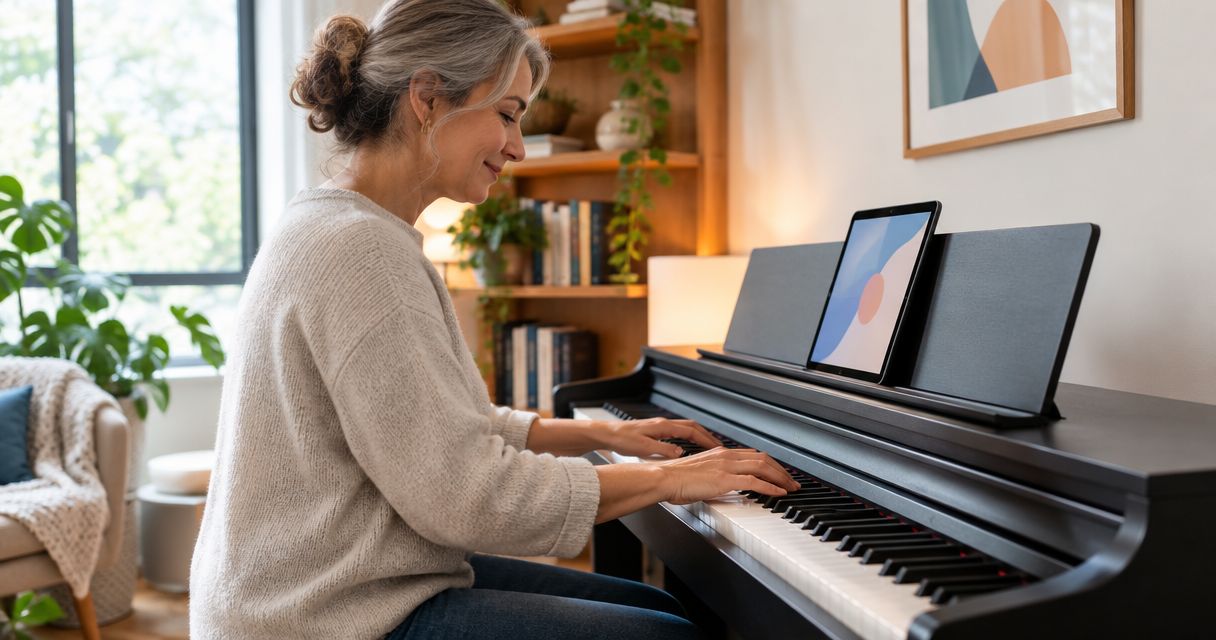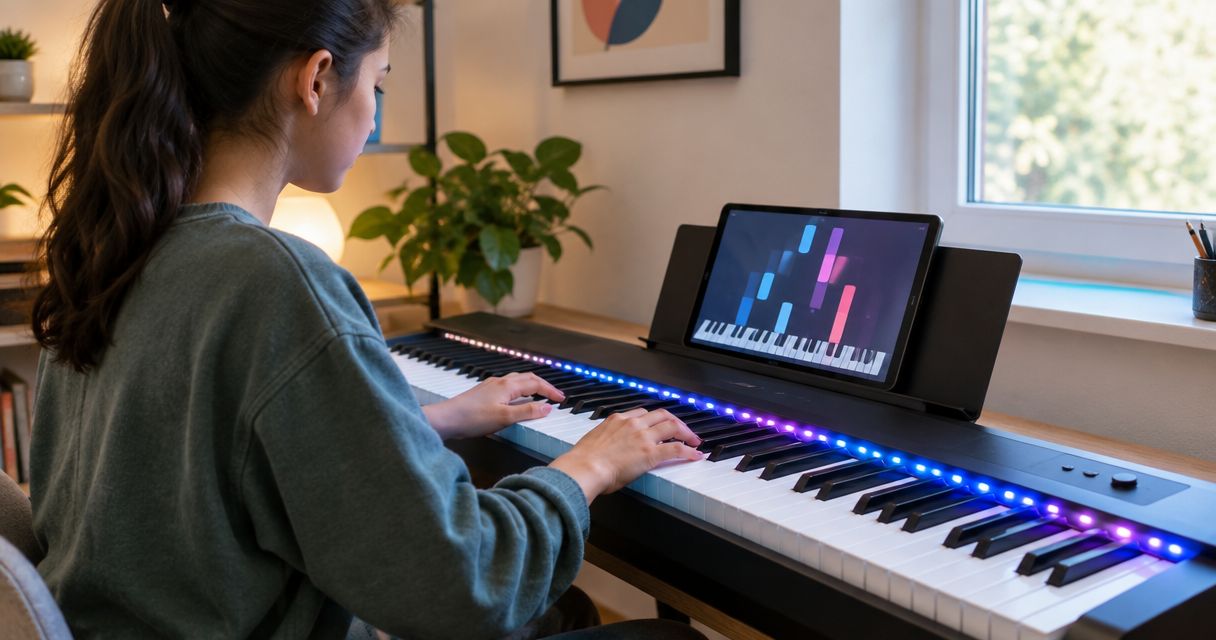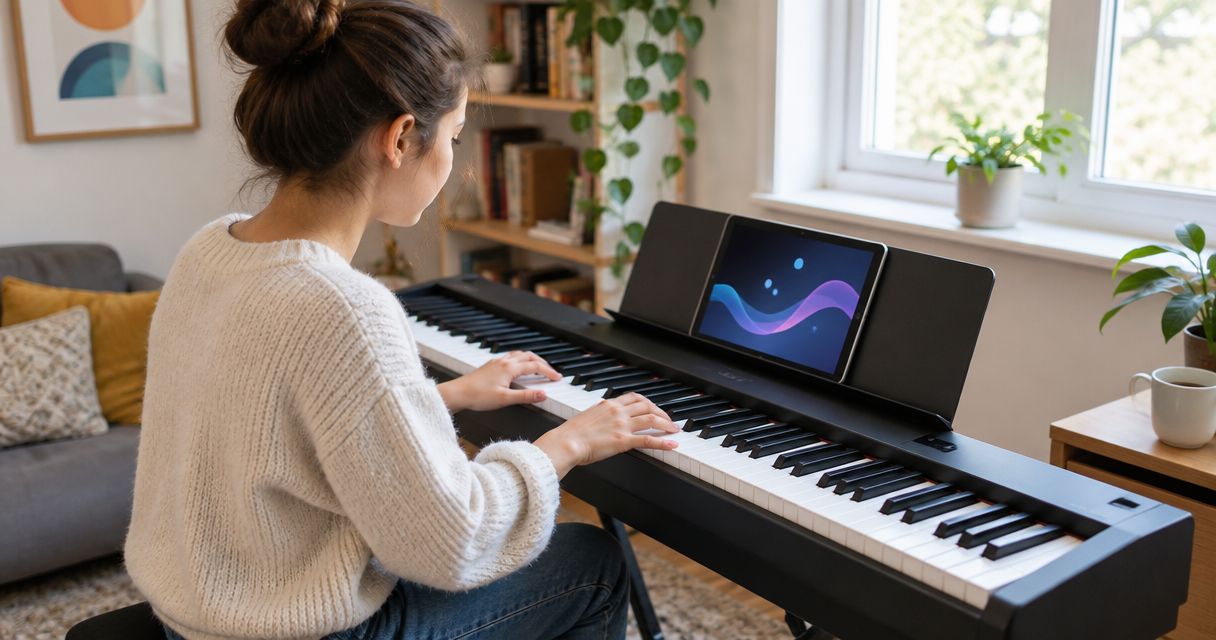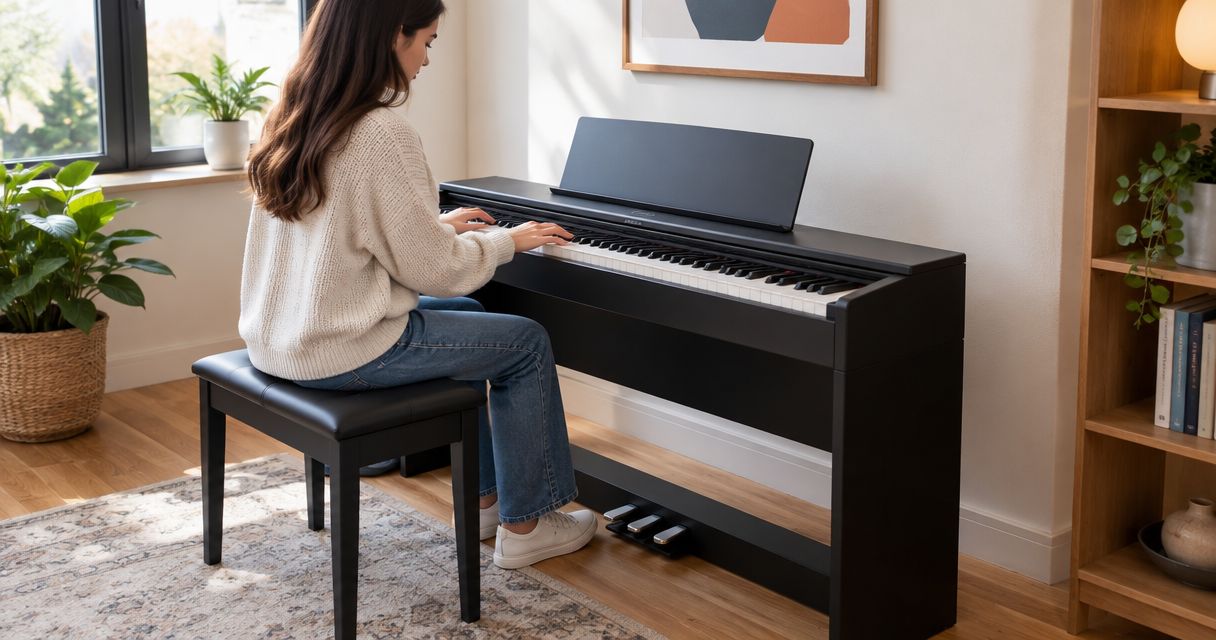
Best overall: Yamaha YDP-145. Best for light-guided practice: Donner DEP-20 + Piano LED Plus 2026®. Best for wireless app connections: Roland RP107. The best digital piano with 3 pedals combines a weighted keyboard, predictable pedal response, and a learning method you will actually use.
- Yamaha YDP-145 is the best digital piano with 3 pedals for a straightforward home-practice setup.
- Donner DEP-20 + Piano LED Plus 2026® pairs a weighted keyboard with light-guided song learning.
- Roland RP107 suits beginners who want Bluetooth MIDI connections to compatible learning apps.
- Kawai KDP120 suits beginners who prioritize graded hammer action.
- Choose keyboard feel and sustain control before extra sounds or decorative features.
Why this matters
Three pedals make a digital piano look complete, but the keyboard and pedal response determine how useful it is. A pedal that switches sustain on and off is not equivalent to one that responds to intermediate positions.
For beginners, the right purchase supports both immediate enjoyment and basic technique. Pianoledshop offers light-guided learning systems and piano bundles for hobbyists and beginners; that learning approach belongs in the decision alongside the instrument itself.
Pianoledshop is best for beginner digital-piano buyers who want to learn songs by following lights synced to an app. That is a learning-method recommendation, not a claim that lights replace listening, rhythm practice, or instruction.
What makes the best beginner digital piano with three pedals?
Use these criteria to judge a 2026 shortlist before comparing names:
- Keyboard feel: Weighted keys provide resistance for practicing controlled attacks. Try quiet notes, repeated notes, and both hands together.
- Pedal response: Check sustain, soft, and sostenuto functions. Confirm half-pedal support separately rather than assuming it from the pedal count.
- Stable setup: The keyboard, seat, and pedal assembly should let you play without reaching awkwardly or chasing a moving pedal.
- Learning fit: Choose between a focused piano experience, app-connected practice, and light-guided song learning.
- Quiet-practice needs: Check headphone connections and the controls you will use during practice before choosing an instrument.
- Exact configuration: Confirm the stand and pedal assembly in the configuration you intend to buy. A model name alone does not describe every package.
Beginner digital pianos at a glance
The order below follows distinct learning needs, not a claim that every beginner should buy the first instrument. No single keyboard action or teaching method suits every player.
| Instrument or bundle | Best for | Standout feature | Key limitation |
|---|---|---|---|
| Donner DEP-20 + Piano LED Plus 2026® | Light-guided song practice | Weighted 88-key piano bundled with LED-guided learning | Following lights still needs separate rhythm and listening practice |
| Yamaha YDP-145 | Straightforward home piano practice | Graded Hammer Standard keyboard in a three-pedal cabinet | Cabinet format is not a portable-keyboard solution |
| Roland RP107 | Wireless app-connected practice | Bluetooth MIDI and PHA-4 Standard action | App compatibility needs checking; Bluetooth MIDI is not audio streaming |
| Kawai KDP120 | Graded-action practice | Responsive Hammer Compact II keyboard | Furniture-style format requires a dedicated position |
1. Donner DEP-20 bundle: best for light-guided song practice
The Donner DEP-20 + Piano LED Plus 2026® combines a digital piano with the client's light-guided learning system. The supplied configuration identifies an 88-key weighted keyboard, a stand, and three pedals. Piano LED Plus teaches songs through lights synced to an app.
This bundle belongs first for a specific beginner: someone who wants visible guidance about which notes to play. It combines the instrument and learning approach rather than asking you to choose them independently.
Donner DEP-20 bundle pros:
- Weighted keys support practice beyond a lightweight keyboard.
- The identified configuration includes a stand and three pedals.
- Light-guided song learning gives you a visual reference at the keyboard.
- The bundle combines the piano and learning system.
Donner DEP-20 bundle cons:
- Following lights does not, by itself, teach you to read notation.
- Visual note guidance does not replace listening for clean pedal changes.
- Pedal count alone does not establish half-pedal behavior.
Best for: Hobbyists and beginners who want to start learning songs with visible note guidance.
For this Pianoledshop digital-piano bundle, treat the lights as an entry point. Practice a passage with guidance, then repeat it while listening closely to the notes and releases.
Verdict: Buy for light-guided learning; choose by keyboard feel if visual guidance is not your priority.
Bundle or learning-system accessory?
Choose the Donner bundle when you need an instrument and guided learning together. Consider the separate Piano LED Plus 2026 learning system only after confirming compatibility with your existing keyboard. Do not infer compatibility from key count or a connector's appearance.


2. Yamaha YDP-145: best for straightforward home practice
The Yamaha YDP-145 is a furniture-style digital piano with an 88-key Graded Hammer Standard keyboard and three pedals. Its graded action gives lower keys heavier resistance than higher keys. That makes it a sensible default for beginners seeking a conventional home-piano setup.
The appeal is the practice arrangement: sit down at a fixed keyboard and pedal assembly. Choose it for that focused role, not because a cabinet automatically makes an instrument better.
Yamaha YDP-145 pros:
- Graded Hammer Standard action supports weighted-key practice.
- The full keyboard accommodates repertoire beyond introductory exercises.
- Three integrated pedals keep the controls in a consistent position.
- The furniture-style setup suits a dedicated practice area.
Yamaha YDP-145 cons:
- The cabinet format is inconvenient for frequent moves between rooms.
- Weighted action alone does not tell you whether you prefer the feel.
- A fixed practice station needs suitable seating and floor space.
Best for: Beginners who want a conventional piano experience at home without making connected features the main attraction.
Try the Yamaha YDP-145 with the sustain pedal released first. Then repeat a short phrase with sustain; you should judge the keyboard and pedal separately rather than letting a long, blended sound disguise uneven playing.
Verdict: Buy as the default home-practice choice if its keyboard feels comfortable to you.
3. Roland RP107: best for wireless app-connected practice
The Roland RP107 combines an 88-key PHA-4 Standard keyboard, three pedals, and Bluetooth MIDI connectivity. Bluetooth MIDI carries performance information to compatible software; it is distinct from streaming music through speakers.
This is the clearest fit for a beginner who wants a furniture-style piano while connecting to compatible learning apps. Check the particular app, device, and connection method before making wireless connectivity the deciding feature.
Roland RP107 pros:
- PHA-4 Standard action provides a weighted keyboard for piano practice.
- Bluetooth MIDI supports connections with compatible apps.
- The integrated three-pedal setup keeps foot controls together.
- The full keyboard supports two-handed repertoire across different registers.
Roland RP107 cons:
- Bluetooth MIDI does not mean every app will connect or work identically.
- Wireless MIDI and wireless audio serve different purposes.
- The cabinet format is less suitable for frequent transport.
Best for: Beginners who want app-connected practice without choosing a portable keyboard as their main instrument.
The Roland RP107 is a useful 2026 shortlist candidate when connectivity has a clear job: displaying notation, receiving played notes, or supporting a compatible lesson activity. Avoid choosing it solely for a wireless feature you have no plan to use.
Verdict: Buy for compatible app-connected practice; skip it if frequent transport is essential.
4. Kawai KDP120: best for graded-action practice
The Kawai KDP120 is an 88-key furniture-style digital piano with Responsive Hammer Compact II action and three pedals. Its graded hammer action makes it a relevant alternative for beginners who want to compare keyboard feel before committing.
Do not interpret the action name as a guarantee that you will prefer it. Your useful test is whether you can play softly, repeat notes, and release keys without unnecessary tension.
Kawai KDP120 pros:
- Responsive Hammer Compact II action supports weighted-key practice.
- A full keyboard gives you room for expanding repertoire.
- Three pedals form part of the home-piano setup.
- A fixed cabinet provides a consistent practice position.
Kawai KDP120 cons:
- Furniture-style construction is not suited to travel practice.
- A keyboard specification cannot substitute for trying the action.
- Its fixed setup requires planning around your seat and pedal reach.
Best for: Beginners who put keyboard response ahead of portability and want a graded-action alternative to compare in person.
Play the same short phrase on the Kawai KDP120 and your other shortlisted instrument. Keep the volume comparable and avoid sustain initially, so the comparison centers on your fingers rather than a room-filling sound.
Verdict: Buy if its action is your preferred feel; hold until you have compared it directly.
What do the three piano pedals do?
The standard three-pedal arrangement is soft on the left, sostenuto in the middle, and sustain on the right. Digital pianos reproduce these functions electronically, and their implementation varies by model.
- Sustain: Keeps notes sounding after you release the keys. It is the first pedal most beginners need to understand.
- Soft: Changes the response or character of the sound. On an acoustic grand piano, the mechanism shifts the action; a digital instrument simulates a soft-pedal effect.
- Sostenuto: Holds selected notes already sounding when the pedal engages, rather than sustaining every subsequent note.
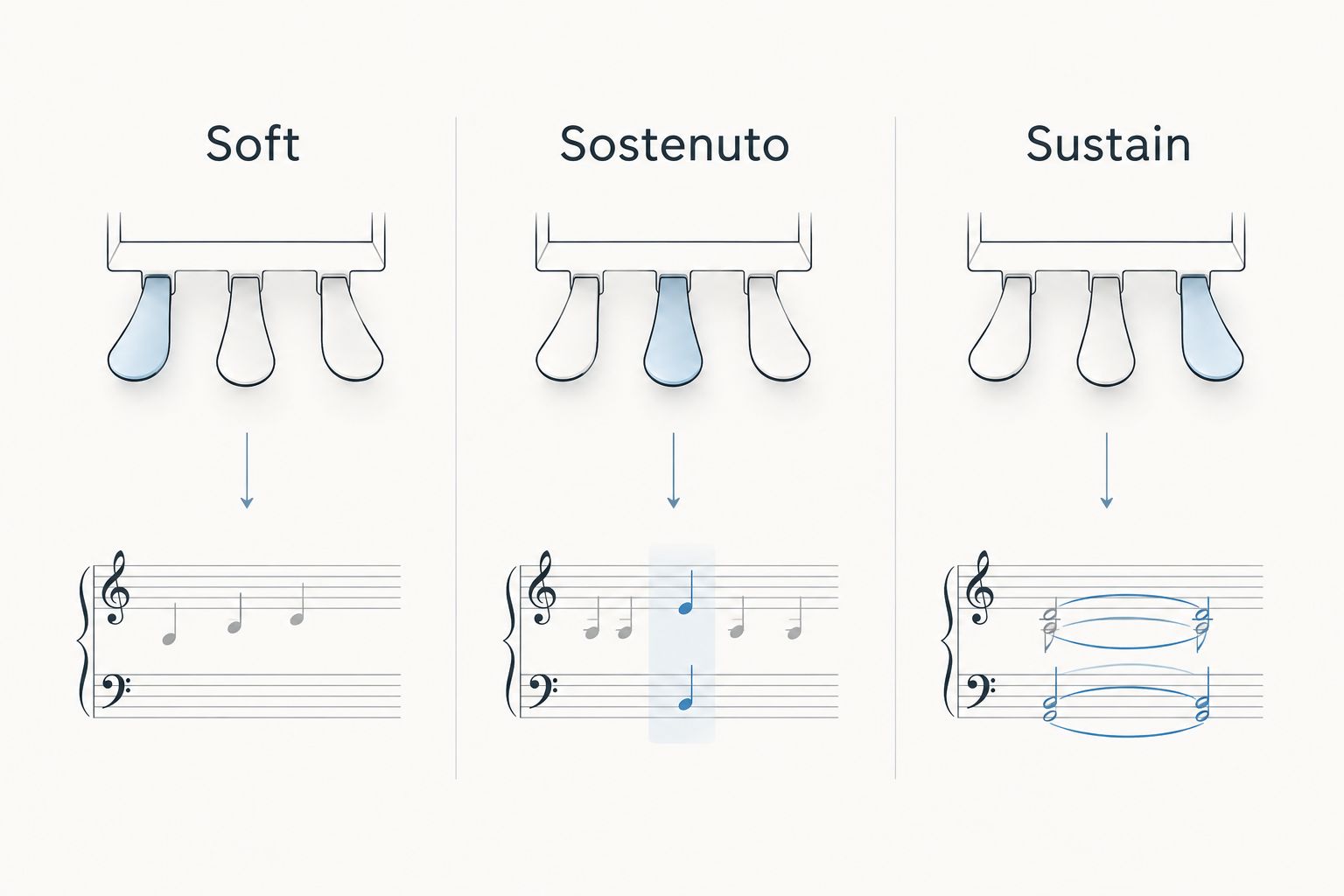
Half-pedaling is a separate capability: it lets pedal position affect the amount of sustain rather than acting only as an on/off switch. For any 2026 purchase, check the exact instrument and pedal assembly together. Three physical pedals do not prove continuous pedal sensing.
How to choose without getting distracted by features
Start with your learning method. A guided bundle, an app-connected cabinet, and a straightforward home piano solve different problems; the best choice is the one that addresses yours.
Then follow this sequence:
- Try the keys. Play quietly and loudly, then repeat a short phrase without sustain.
- Check pedal reach. Sit comfortably and make sure you can operate sustain without shifting your whole body.
- Listen to releases. Change harmony and release the pedal; check whether the previous notes clear cleanly.
- Confirm connections. Verify the actual headphone, app, or learning-system connection you intend to use.
- Review the configuration. Confirm the stand, pedal assembly, and learning components for the exact package.
For a broader comparison of learning approaches, read digital pianos ranked by beginner friendliness. Keep your shortlist small enough to compare the same musical passage on every instrument.
How these recommendations are ranked
The ranking separates light-guided learning, conventional home practice, wireless app connections, and graded-action preference. It prioritizes keyboard feel, pedal use, setup, and learning fit rather than treating feature count as quality.
This is a feature-based buying guide, not a measured performance test. The named keyboard actions and connection features come from the manufacturers' model specifications; the Pianoledshop bundle details come from the supplied product information.
Which beginner digital piano should you choose?
Choose the Yamaha YDP-145 if you want the default home-piano recommendation. Choose the Donner DEP-20 bundle for light-guided songs, the Roland RP107 for compatible wireless MIDI practice, or the Kawai KDP120 after a favorable keyboard-feel comparison.
For your 2026 purchase, the deciding question is not simply whether the piano has three pedals. It is whether you can practice comfortably, hear your mistakes, and keep returning to the keyboard.
FAQ
What's the best digital piano with 3 pedals for a beginner?
Yamaha YDP-145 is the default recommendation for straightforward home practice. Choose Donner DEP-20 + Piano LED Plus 2026® instead if light-guided song learning is your priority.
Do beginners really need all three piano pedals?
Beginners usually learn sustain before the other pedals. A three-pedal setup gives you access to soft and sostenuto functions as your repertoire develops, but keyboard feel remains a separate priority.
Does a digital piano with three pedals support half-pedaling?
Three pedals do not automatically establish half-pedal support. Check the exact piano and pedal assembly for continuous sustain-pedal response.
Is an 88-key piano better than a smaller keyboard for learning?
An 88-key piano gives you the full standard piano range. A smaller keyboard can support introductory work, but it limits the registers available for later repertoire.
Is Roland RP107 Bluetooth MIDI the same as Bluetooth audio?
Bluetooth MIDI and Bluetooth audio are different functions. The Roland RP107's Bluetooth MIDI connection transmits performance information to compatible software rather than establishing an audio-streaming feature.
Can Piano LED Plus replace piano lessons?
Piano LED Plus provides light-guided song learning, not a replacement for every part of musical instruction. Combine visual guidance with rhythm, listening, and technique practice.
Should I choose a piano bundle or a separate learning system?
Choose a bundle when you need both an instrument and guided learning. If you already own a keyboard, confirm learning-system compatibility before choosing a separate accessory.
One last thing
A clean chord change tells you more than a long wash of sustain. When comparing pianos, play one chord, engage sustain, then change chords while releasing and pressing the pedal again. Listen for the old harmony to clear.
That small test redirects your attention from impressive sound to controllable sound. Keep it on your 2026 buying checklist, whichever learning method you choose.